Device Details
Overview
| Name | Version: | Show Mode 1.0 |
| Author: | SpacebarTouring |
| Device Type: | Audio Effect |
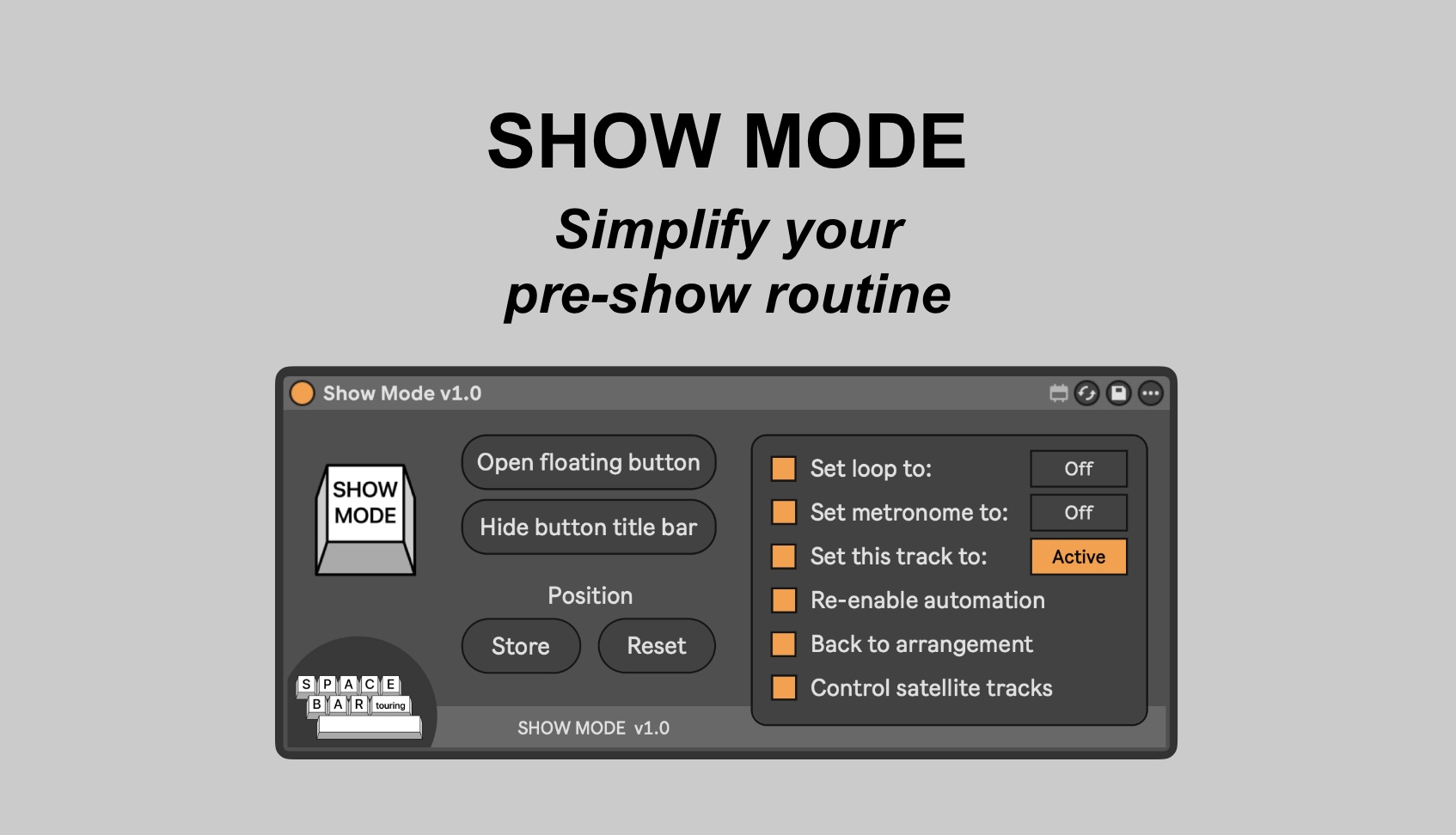
| Description: | === SHOW MODE - Simplify your pre-show routine === This device is designed to simplify the pre-show routine for playback techs and musicians using Ableton Live for live shows. Initially it was designed specifically to make sure that a particular track was muted, but I have expanded it to include other features. Elements that can be controlled using a single press of the Show Mode button: - Set loop to On/Off - Set metronome to On/Off - Set host track to Active/Muted - Set any number of other tracks to Active or Muted (using satellite devices sitting on each of these tracks) - Re-enable automation - Back to arrangement === SYSTEM REQUIREMENTS === You will need Max for Live (included with Ableton Live Suite). These devices were built and tested in Max 9.0.7 / Ableton Live 12.3.5, running MacOS Sequoia 15.5, and also tested in Max 8.5.5 / Ableton Live 11.3.13. Earlier versions of Max, Live or MacOS may not work. If you experience any strange behaviour with other versions, please let me know at spacebartouring@gmail.com *Please note that some versions of Max for Live have a bug where clicking on the device can prevent MIDI and key commands from reaching or passing through the device. Clicking elsewhere within Live causes them to work as expected. This is an issue which I’ve seen in multiple Max MIDI devices in Max 8 with Live 11. It appears to have been fixed in more recent versions. |
Details
| Live Version Used: | 12.3.5 |
| Max Version Used: | 9.0.7 |
| Date Added: | Apr 20 2026 14:26:23 |
| Date Last Updated: | Apr 20 2026 14:34:20 |
| Downloads: | 0 |
| Website: | https://spacebartouring.gumroad.com/l/showmode |
| ⓘ License: | Commercial |
Average Rating
Log in to rate this device |
-n/a- |
Login to comment on this device.
Browse the full library